
Into the Wormhole
Into the Wormhole — Demo
Hi!! I'm a physicist and mathematician from Spain, and my bachelor's thesis was about simulating what a wormhole would actually look like. When I finished, I had images of how these wormholes would appear, faithful to the mathematics, and I found them amazing!! I kept thinking a real-time simulation would be incredible, and being a lifelong gamer (the Portal series is one of my all-time favourites), this game was born. I think it looks spectacular, and I hope you enjoy it!!
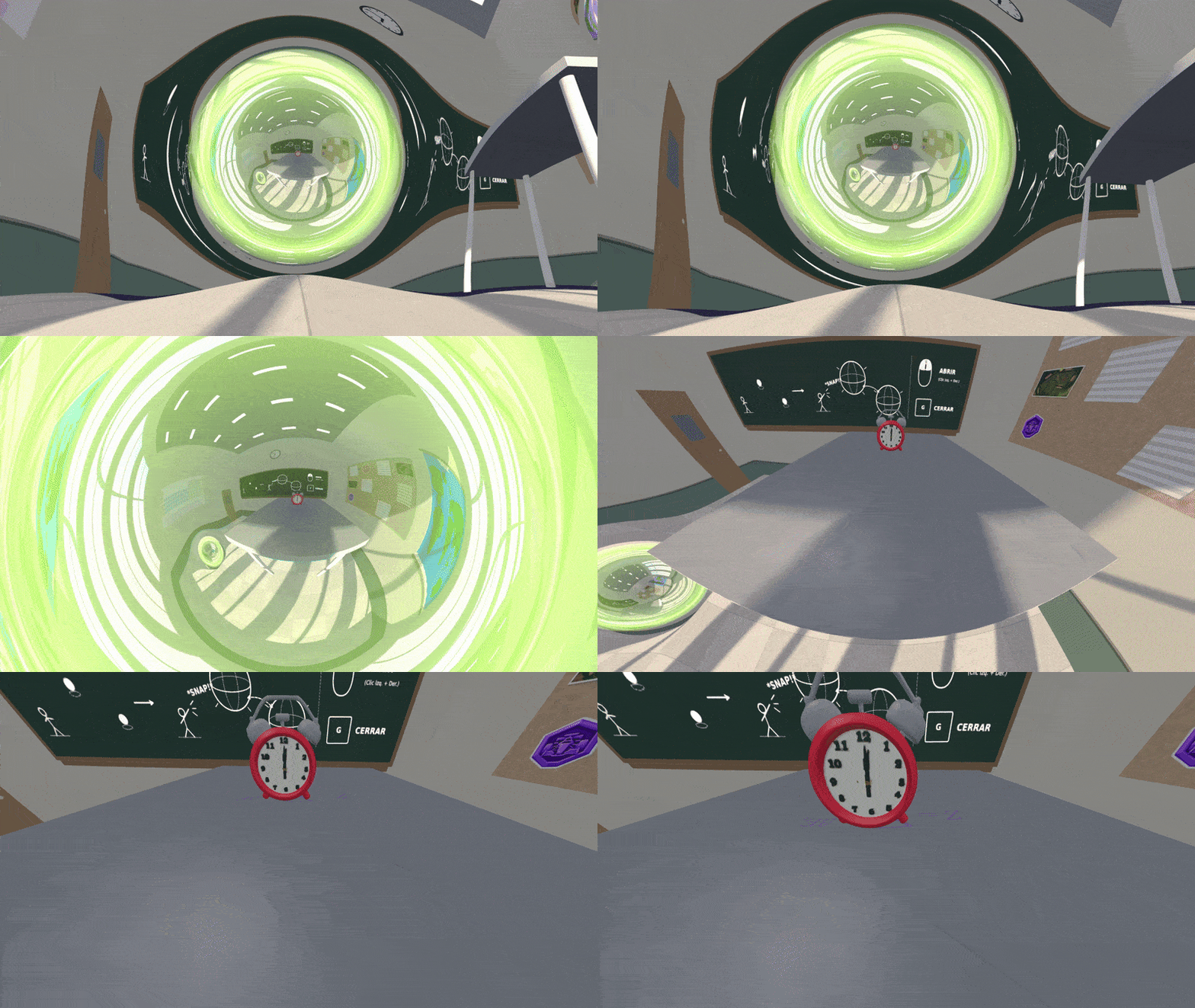
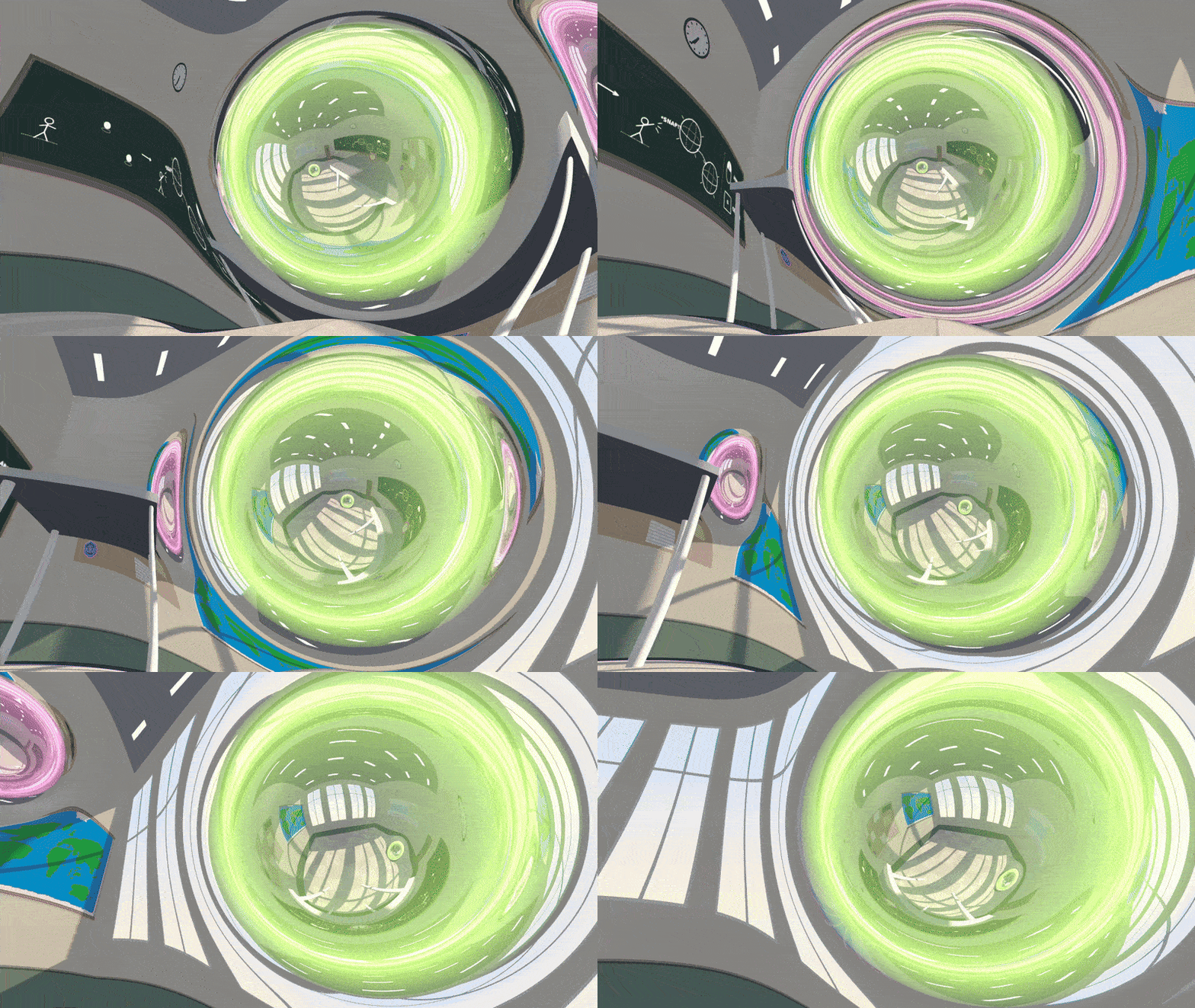
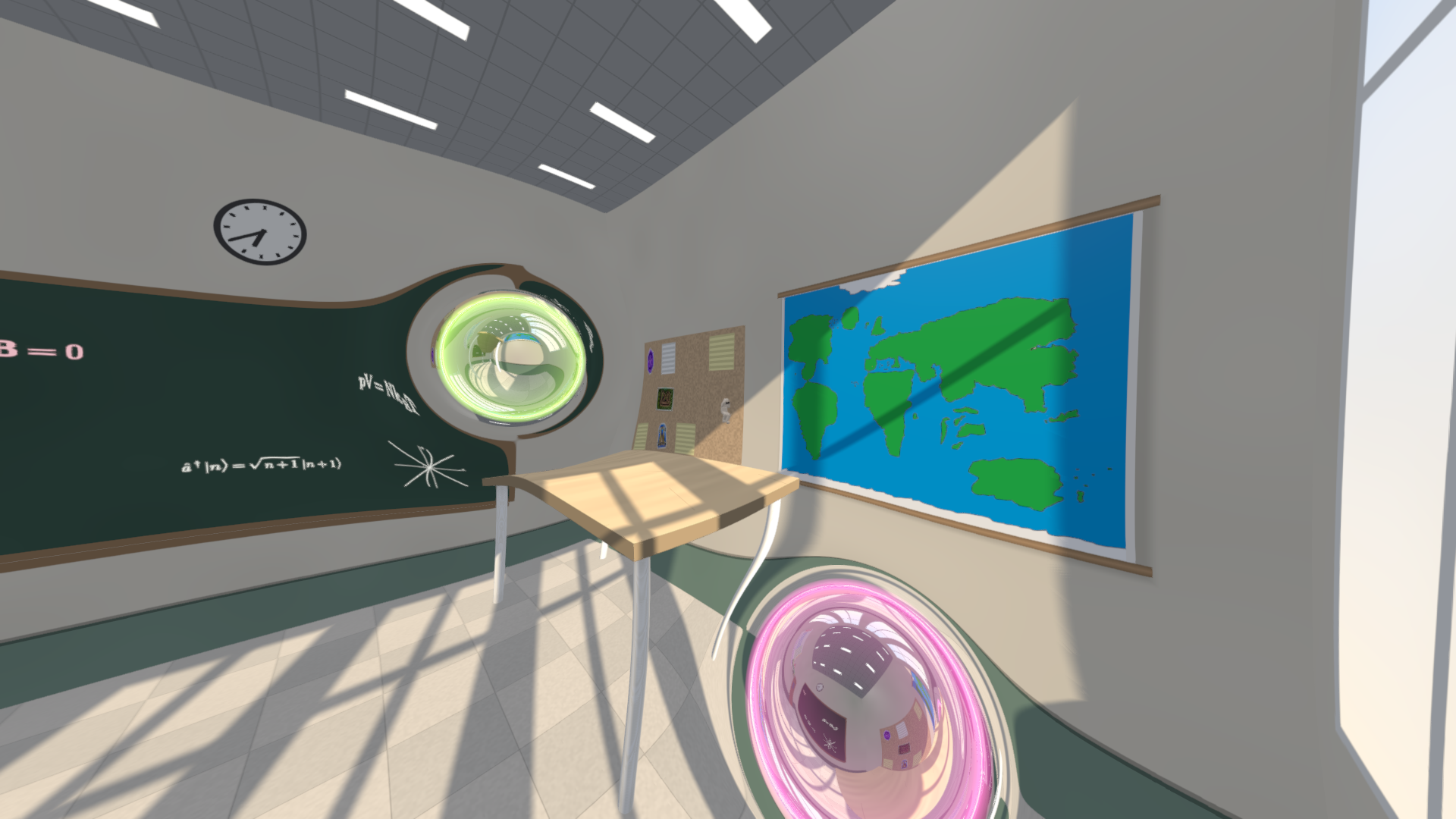
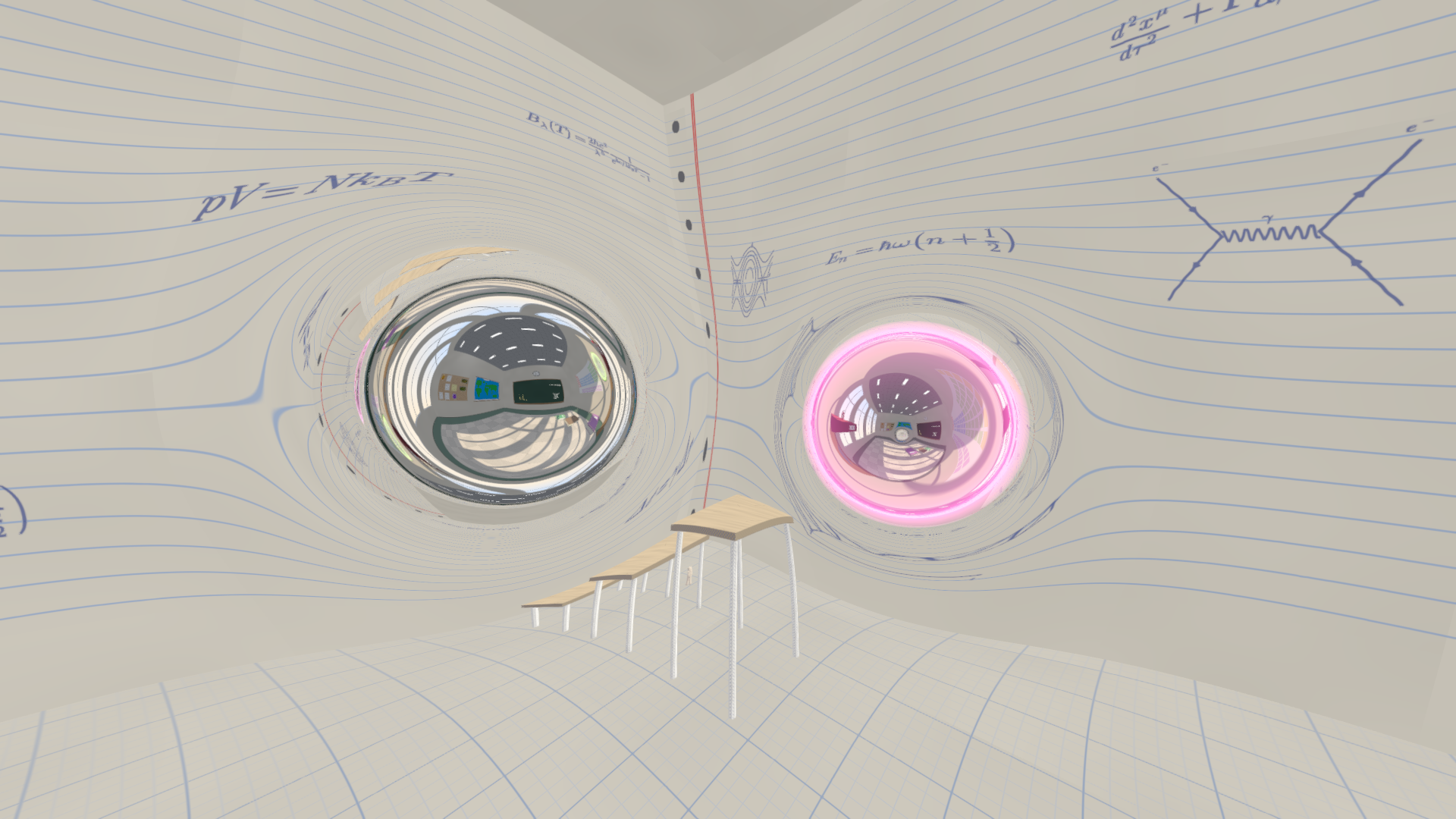
Every pixel is real physics. The game doesn't fake the effect with portals or cameras. For each pixel, it traces the path of light through curved spacetime around an Ellis (Morris–Thorne) wormhole. What you see through each mouth is what you would actually see.
What's in the demo
- 15 levels of puzzles with wormholes you can place, rotate and walk through. It shouldn`t take long to finish, it is just to show the main mechanics of the game.
- Three different "universes": classroom, notebook and blackboard
- English and Spanish
- Keyboard + mouse or gamepad
Controls
| WASD / arrows | Move |
| Mouse | Look |
| Space | Jump (hold to jump higher) |
| Left / right click | Place wormhole mouth A / B |
| R · Shift+R | Rotate the wormhole |
| G | Remove wormhole |
| E | Use / pick up / drop |
| Q | Aim a throw |
| P | First / third person |
| C | Switch cameras |
| ESC | Pause menu — in the web version, use the key below ESC (º / `) |
⚠️ Performance — please read
The engine is very heavy: it traces light rays through curved space in real time. Downloading the Windows version is strongly recommended.
The web version works, but:
- The first load can take around 10 minutes while your browser prepares the shader. Don't close or reload the page.
- It runs in low quality at about 30 fps.
- Avoid fullscreen: more pixels means fewer fps.
Make the web version load in seconds (Firefox)
- Type
about:configin the address bar and accept the warning. - Search for
webgl.disable-angleand double-click it so it becomes true. - Restart Firefox.
You can set it back to false when you're done.
Make it run faster on laptops with two graphics cards (Windows)
- Open Settings → System → Display → Graphics.
- Click Add desktop app and browse to your browser:
Firefox:C:\Program Files\Mozilla Firefox\firefox.exe
Chrome:C:\Program Files\Google\Chrome\Application\chrome.exe
Edge:C:\Program Files (x86)\Microsoft\Edge\Application\msedge.exe - Click your browser in the list and set GPU preference to High performance. On Windows 10, click Options → High performance → Save.
- Restart the browser.
Feedback
This is a demo and I'd love to hear from you! I'm aware of the many flaws this game has but i just wanted to share it now and see what people think. Tell me in the comments what you liked, what you didn't, where you got stuck and how it ran on your PC (your graphics card helps a lot).
🇪🇸 Versión en español (pulsa para abrir)
¡¡Hola!! Soy un físico y matemático de España, y mi trabajo de fin de grado fue simular imágenes de un agujero de gusano. Al acabarlo conseguí imágenes de cómo se verían estos agujeros de forma fiel a las matemáticas, ¡y me parecieron increíbles! Estuve un tiempo pensando que una simulación en tiempo real sería genial, y como soy fan de los videojuegos de toda la vida (la saga Portal es una de mis favoritas), nació esta idea. Creo que visualmente queda espectacular, ¡espero que te guste!
Cada píxel es física real. El juego no simula el efecto con portales ni con cámaras. Para cada píxel, sigue el camino de la luz a través del espacio-tiempo curvado alrededor de un agujero de gusano de Ellis (Morris–Thorne). Lo que ves por cada boca es lo que verías de verdad.
Qué trae la demo
- 15 niveles de puzles con agujeros de gusano que colocas, giras y atraviesas. No debería durar mucho, es para mostrar las mecánicas principales.
- Tres "universos": aula, pizarra y cuaderno
- Español e inglés
- Teclado y ratón, o mando
Controles
| WASD / flechas | Moverse |
| Ratón | Mirar |
| Espacio | Saltar (mantén para saltar más alto) |
| Clic izq. / der. | Colocar la boca A / B |
| R · Mayús+R | Girar el agujero |
| G | Retirar el agujero |
| E | Usar / coger / soltar |
| Q | Apuntar un lanzamiento |
| P | Primera / tercera persona |
| C | Cambiar de cámara |
| ESC | Menú de pausa — en la versión web, la tecla de debajo de ESC (º) |
⚠️ Rendimiento: léelo antes de jugar
El motor es muy pesado: calcula en tiempo real los rayos de luz a través del espacio curvado. Te recomiendo de verdad descargar la versión de Windows.
La versión web funciona, pero:
- La primera carga puede tardar unos 10 minutos mientras el navegador prepara el shader. No cierres ni recargues la página.
- Va en calidad baja, a unos 30 fps.
- Mejor sin pantalla completa: más píxeles, menos fps.
Para que la web cargue en segundos (Firefox)
- Escribe
about:configen la barra de direcciones y acepta el aviso. - Busca
webgl.disable-angley haz doble clic para que quede en true. - Reinicia Firefox.
Cuando acabes, puedes volver a ponerlo en false.
Para que vaya más fluido en portátiles con dos gráficas (Windows)
- Abre Configuración → Sistema → Pantalla → Gráficos.
- Pulsa Agregar aplicación de escritorio y busca tu navegador:
Firefox:C:\Program Files\Mozilla Firefox\firefox.exe
Chrome:C:\Program Files\Google\Chrome\Application\chrome.exe
Edge:C:\Program Files (x86)\Microsoft\Edge\Application\msedge.exe - Pulsa sobre el navegador en la lista y pon Preferencia de GPU en Alto rendimiento. En Windows 10: Opciones → Alto rendimiento → Guardar.
- Reinicia el navegador.
Tu opinión
¡Es una demo y me encantaría leerte! Soy consciente de los muchos defectos del juego, pero quería enseñarlo ya y ver qué opina la gente. Cuéntame en los comentarios qué te ha gustado, qué no te ha gustado, dónde te has atascado y cómo te ha ido en tu PC (saber qué gráfica tienes me ayuda mucho).
Download
Click download now to get access to the following files:
Comments
Log in with itch.io to leave a comment.
What an interesting idea! I can't wait to see more of this!